
A video hook generator that uses your words
The first seconds decide whether anyone hears the rest. Here is what makes a video hook work, the formats that keep showing up in high-retention videos, and how SparkRoll writes three hooks from what you actually said.
2 videos free to try with AI · Works in your browser · Also on iPhone and Android
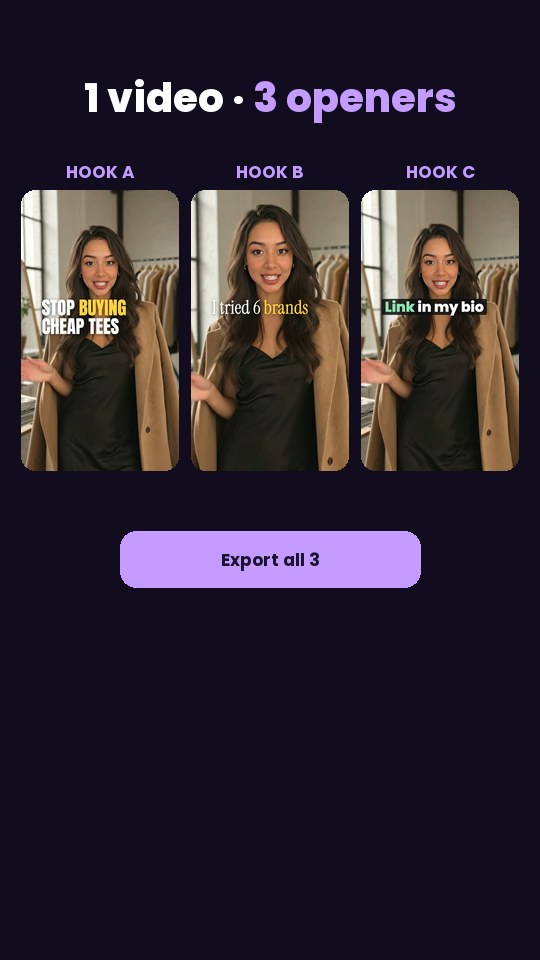
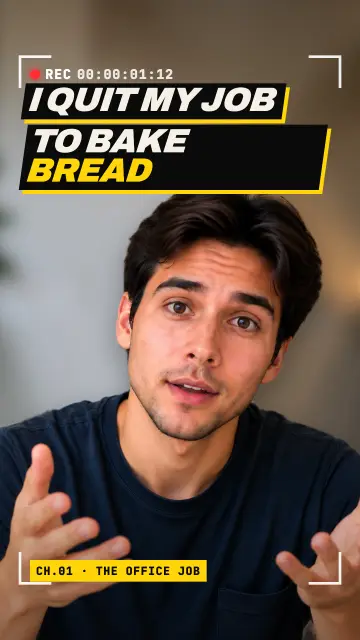
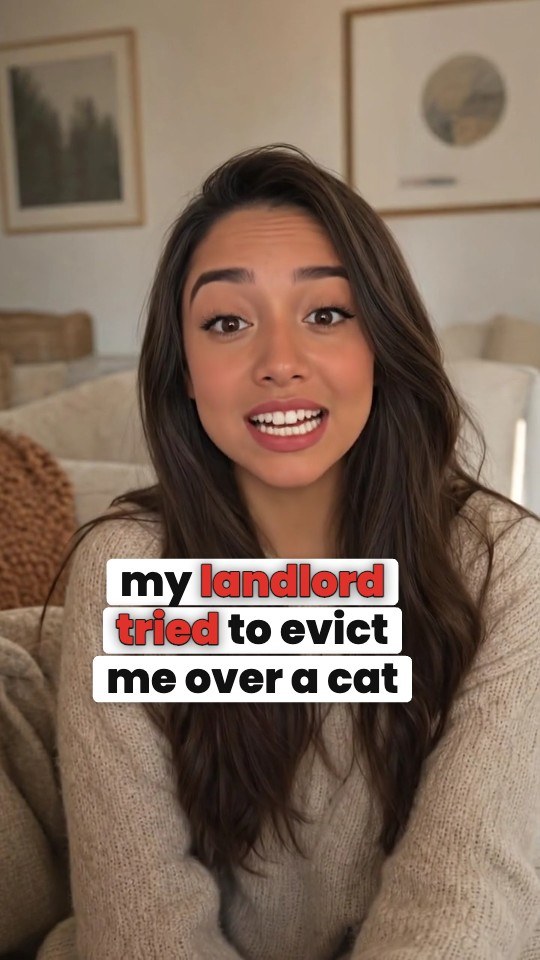
What a video hook is
A hook is the opening of a short video: usually the first one to three seconds. It is three things at once: the first line you say, the text on screen, and what the viewer sees. The job is not to summarize the video. It is to make the viewer want the answer badly enough to stay for it.
Strong hooks name the topic clearly and open a gap: a question, a surprise, a warning or a promise that the rest of the video closes. Weak hooks start with "Hey guys", a long intro, or a vague line that could be about anything.
Hook formats that work
Most effective hooks fit a handful of formats. Mixing formats is also how you test which one your audience responds to:
| Format | Example |
|---|---|
| Must-know | "If you rent your apartment, you need to know this before you sign." |
| Warning | "Don't buy a standing desk until you check this one thing." |
| Stop / instead | "Stop rinsing your rice in cold water. Do this instead." |
| The one thing | "The one setting that fixed my phone's battery life." |
| Question | "Why does every coffee shop latte taste better than yours?" |
| POV | "POV: you finally found a carry-on that fits under the seat." |
| Easy way | "The easiest way to meal prep a week of lunches." |
| Story | "I almost returned this blender. Then I tried it on frozen fruit." |
For a longer list by niche, including TikTok Shop, see the TikTok hooks guide.
Rules for writing hooks
- Be specific. "This changed my skin" is vague. "This $12 cleanser cleared my chin breakouts" is a reason to stay.
- Only promise what you deliver. A hook the video does not pay off gets people to swipe and teaches the algorithm the video disappoints.
- Say it and show it. The spoken line and the on-screen text should agree, so muted viewers get the hook too.
- Keep the text short. Three to eight words on screen. The spoken line can be a little longer.
- Start moving. A gesture, a product held up or a cut in the first second helps the words land.
- Test more than one. Post the same video with different openers on different days and compare how many viewers stay past the first few seconds.
Why generic hook generators fall short
Most hook generators work from a topic you type in and return clever lines. The trouble is that those lines are not in your video. You then have to re-record the opening, or put text on screen that does not match what you say. Some also invent numbers or results you never claimed, which is a problem for product videos and ads.
A hook drawn from your own recording avoids both problems: the line is something you already said, or a tight on-screen title built from it, so the opening and the video agree.
It also changes how you film. Instead of trying to nail a perfect opening on the first take, talk through your point naturally and say the core idea a couple of different ways. The strongest phrasing is often in the middle of the recording, not at the start, and an editor that reads the whole thing can find it and build the hook from it.
How SparkRoll generates hooks
SparkRoll reads your whole recording first, then writes three hooks for the opening, each in a different format (must-know, warning, question, POV and so on). Each hook is built only from your own facts: no numbers, results or claims you did not say. It also picks the line of your video that makes the strongest opening, and puts the hook on screen as a bold first line with a short subline, kept off your face.
Pick one, edit the words, or ask for changes: "make the hook bigger", "a question hook instead", "add a whoosh sound under the hook". The Hook Pack template goes further: one video body with three different openers, exported together so you can test them.
- Add a hook at the start
- Make a hook from my first sentence
- Try a warning hook
- Shorter hook text
Hooks work with everything else in the edit: clean cuts, captions, music and templates. They export in vertical 9:16 for TikTok, Reels and Shorts.
Pricing
Try it before you pay: you get 2 videos free to try with AI, with up to 30 AI chat messages each, and your first export in the iPhone or Android app is free with a small SparkRoll mark. After that, exporting needs a plan. Coins pay for AI messages; editing by hand is free.
2 videos to try with AI, 30 AI messages each. First export free in the iPhone and Android apps, with a small mark.
250 coins a week. Export your videos. Cancel any week.
1,000 coins a month. Export. Top up with coin packs.
3,000 coins a month, the stronger AI, +20% on coin packs.
Prices in US dollars, + tax where applicable. Coin packs for plan holders: 300 coins $3.99 · 1,000 coins $9.99.
Questions, answered
What is a video hook?
The first one to three seconds of a short video: the opening line, the on-screen text and the first visual. Its job is to give viewers a reason to keep watching.
Is there a free video hook generator?
SparkRoll gives you 2 videos free to try with AI, with up to 30 AI chat messages each, and your first export in the iPhone or Android app is free with a small SparkRoll mark. After that, exporting needs a plan.
Do hooks for Reels and TikTok need to be different?
The same formats work on both. Keep the on-screen text clear of each app's buttons and caption area, and keep it short.
Can I add a hook sound effect?
Yes. SparkRoll has a built-in library of music and sound effects. Ask for "a whoosh under the hook" or add one by hand.
Will the hook generator make up claims?
No. SparkRoll builds hooks only from what you said in the video. You can still edit the words before you post.
Related
- TikTok hooks40+ example hook lines
- TikTok video editorVertical edits with a hook up front
- TikTok Shop & UGC editorProduct videos, price stickers, demos
- UGC video editorEdits for creator ads
- Edit video with AISay the edit, keep your footage
- Video templatesTemplates that set the whole look
- Instagram Reels editorTrending looks for Reels
- AI video editorChat-based editing for talking videos
Three openers, one recording
Upload a clip and get hooks written from your own words. 2 videos free to try.