
A Descript alternative for short vertical videos
Descript lets you edit video by editing its transcript. SparkRoll lets you edit by saying what you want. Both remove filler words and both use AI; they are built for different jobs. Here is how to tell which one fits yours.
2 videos free to try with AI · Works in your browser · Also on iPhone and Android


Transcript editing vs chat editing
Descript calls itself “AI-editing for every kind of video”. Its core idea, in its own words, is “edit your words to edit your video”: you get a transcript, delete a sentence, and the matching video goes with it. As of November 2026 its website also lists filler-word removal, Underlord (described as “your AI video editor”), and recording podcasts and video with guests through its Rooms feature.
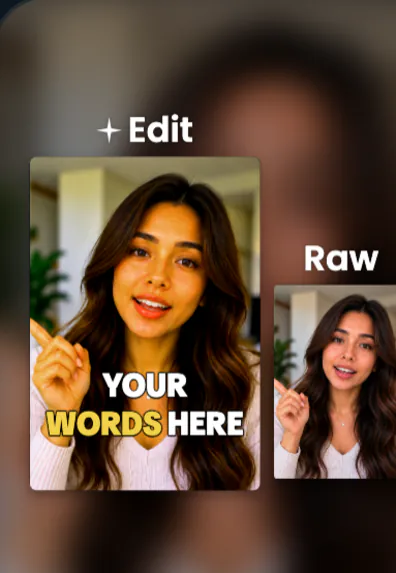
SparkRoll starts from the finished result. You add a talking clip, the clean cut removes pauses, “um”s and retakes, and a template adds captions, a hook and effects. Then you describe changes the way you would brief an editor: “make the captions bigger”, “zoom in when I say the price”, “add a hook at the start”. Every tool also works by hand.
Put simply: transcript editing gives you precise control over the words of a long recording. Chat editing gives you a styled short video fast and lets you steer it in plain language. If you came here looking for a Descript alternative for TikTok, Reels and Shorts, that difference is most of the decision; the rest is where you like to edit and how much styling you want done for you.
Side by side
The Descript column lists only what its website says as of November 2026.
| SparkRoll | Descript (per its website) | |
|---|---|---|
| How you edit | Say or type the change, or edit by hand | Edit the transcript; direct an AI co-editor; editing tools |
| Filler words | Removed in the clean cut, with retakes and pauses | Remove filler words tool |
| Recording | Use your phone camera; SparkRoll edits the file | Rooms for recording with guests |
| Output | Vertical 9:16 for TikTok, Reels and Shorts | “Every kind of video” |
When SparkRoll is the better Descript alternative
- Your output is short and vertical. TikTok, Reels and Shorts are what SparkRoll is built for, from the crop to the caption placement that stays off your face.
- You want the look done for you. Templates such as Journey, Mentor or Fly-In apply captions, a hook and effects in one step.
- You film several takes of each line. The clean cut keeps the best take of every line, in order.
- You edit on your phone. Film and edit on iPhone or Android, or open the same account on the web.
- You’d rather describe than operate. “Make it punchier” is a valid instruction.
When Descript may fit better
- You produce long-form podcasts or YouTube videos and want to edit them line by line through a transcript.
- You record remote guests and want recording and editing in one product.
- You need a desktop editing workflow; SparkRoll has no desktop app, though its web version works in a desktop browser.
Plenty of creators use both: a long-form tool for the full episode, and SparkRoll for the short videos and podcast clips that promote it.
Choosing by the video you make most
Before comparing feature lists, look at your last ten videos. Count how many were long recordings and how many were short talking clips for social media. Then match the tool to the bulk of the work:
- Mostly long recordings with guests and chapters: a transcript-based editor is a natural fit.
- Mostly short talking clips filmed on a phone: a chat-based short-form editor like SparkRoll saves the repeated steps of cutting, captioning and styling.
- A mix: clip the long recordings into shorts with SparkRoll’s Long video → clips, which picks moments that make sense on their own and edits each into a vertical clip.
Then test with your own footage. Run one raw clip with a few mistakes through both tools, make the same three changes in each, and compare the result and the effort. Check each product’s current pricing page for what your volume would cost. If you are looking for a Descript alternative that is open source or fully free, note that SparkRoll is neither: it is a hosted product with 2 videos free to try with AI.
Descript is a trademark of its owner. SparkRoll is made by IBEX Solutions LLC and is not affiliated with Descript.
Pricing
Try it before you pay: 2 videos free to try with AI, with the clean edit and up to 30 AI chat messages each. Your first export in the iPhone or Android app is free and carries a small SparkRoll mark. After that, exporting needs a plan. Coins pay for AI messages and bigger AI jobs; editing by hand and previewing are free.
2 videos to try with AI, up to 30 AI messages each.
250 coins a week. Export your videos. Cancel any week.
1,000 coins a month. Export. Top up with coin packs.
3,000 coins a month, the stronger AI, +20% on coin packs.
Web prices in US dollars, + tax where applicable. Coin packs for plan holders: 300 coins $3.99 · 1,000 coins $9.99.
Questions, answered
Is there a free Descript alternative?
SparkRoll lets you try 2 videos free with AI, with the clean edit and up to 30 chat messages each. Your first export in the iPhone or Android app is free with a small SparkRoll mark; after that, exporting needs a plan.
Does SparkRoll remove filler words like Descript?
Yes. The clean cut removes filler words like “um”, pauses and retakes. The Cut dial sets how much goes: Gentle, Standard or Tight.
Can I edit video by editing text in SparkRoll?
Not through a transcript. In SparkRoll you describe the edit in a chat, and you can tap any caption to fix a word by hand.
Is SparkRoll good for long podcasts?
SparkRoll is built for short vertical video. For long podcasts it turns the recording into short clips with Long video → clips rather than editing the full episode.
Is SparkRoll affiliated with Descript?
No. SparkRoll is made by IBEX Solutions LLC and is not affiliated with Descript.
See what chat editing does with your clip
Upload a raw take, say what you want, and compare. 2 videos free to try.