
The AI caption generator for talking videos
"Caption" means two things on social media: the words on the video and the text under the post. SparkRoll writes both from what you actually said, and lets you fix either before you post.
2 videos free to try with AI · Works in your browser · Also on iPhone and Android
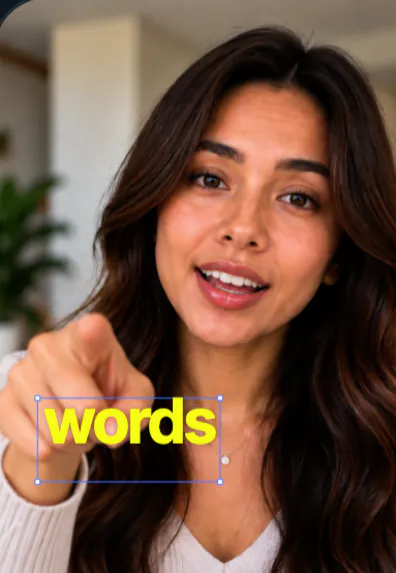
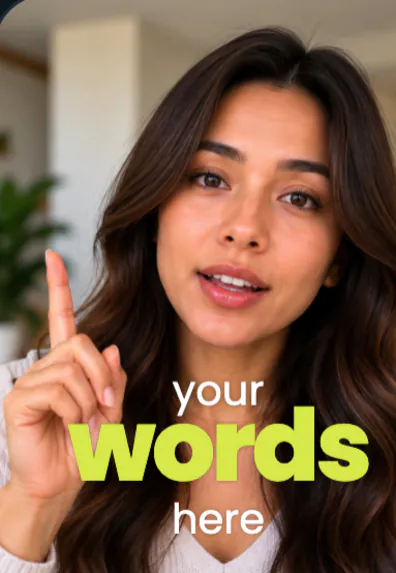
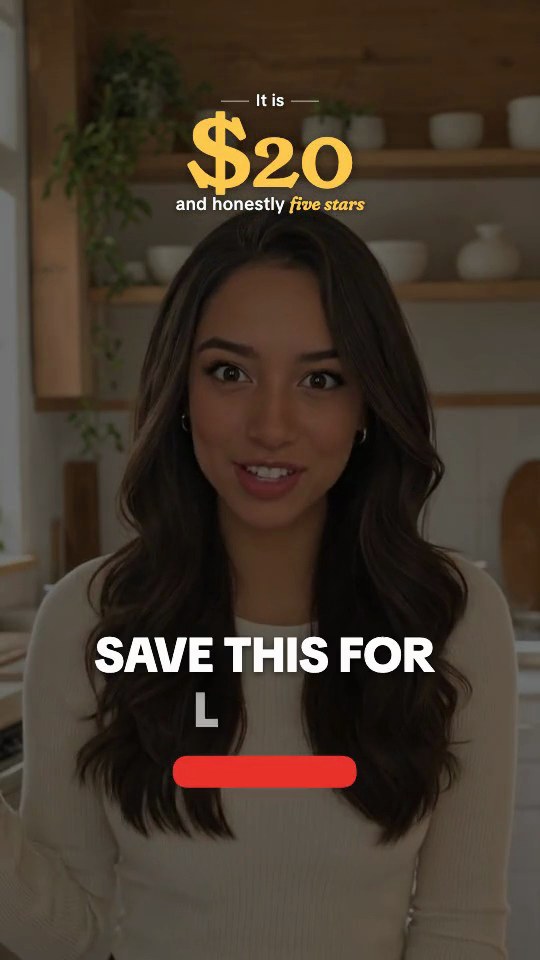
What happens when AI writes your captions
For video, a caption generator runs a chain of steps that used to take an editor an hour:
- Speech recognition turns the audio into text.
- Word timing gives every word a start and end time, so it can appear exactly when you say it.
- Line breaking groups words into short, readable chunks at natural pauses.
- Emphasis picks the words that carry the meaning (a price, a name, a result) and styles them differently.
- Placement decides where the text sits on screen so it does not cover your face or the app's buttons.
The better generators do all five. Cheaper ones stop after the first two and leave you to fix line breaks and placement by hand.
Two kinds of captions, one recording
Search for an "AI caption generator for Instagram" and you will find two different tools mixed together. One puts words on the video. The other writes the text that goes under the post, often with hashtags. Both start from the same thing: what you said in the video.
SparkRoll does both. The on-screen captions come from your speech, word for word. The post caption is one sentence in your voice, written from the same transcript, with a few relevant hashtags. Because both come from your own words, neither claims something you did not say. You can rewrite either before you post.
What to look for before you pick one
| Check | Why it matters |
|---|---|
| Accuracy on names and numbers | Generic words are easy; brand names, prices and slang are where errors show. |
| Word-level timing | Line-level timing makes text appear early or late. Word timing keeps it in sync. |
| Easy correction | You will always fix a word or two. It should take one tap, not a re-export. |
| Face-aware placement | Text over your eyes or mouth hides the most watched part of the frame. |
| Style control | A few presets get boring. You want fonts, sizes, colors and key-word emphasis. |
| What happens to your video | Read where your file goes. Some tools upload the whole video; others only send the sound. |
Getting accurate captions from AI
Most caption errors start at the recording, not the software. A few habits fix most of them:
- Get the mic close. A clip-on mic or a phone held at arm's length beats a phone across the room.
- Record without music. Background music under speech confuses recognition. Add it in the edit.
- Say names clearly the first time. If a product name is unusual, slow down on it once.
- Read the captions once before export. It takes a minute and catches the one word that would have been embarrassing.
Accents and fast talkers are handled well by modern speech recognition, but no generator is perfect. Plan on a quick proofread rather than hoping for zero mistakes.
Which words to highlight
Generators that pick key words automatically usually reach for nouns and numbers. That is a good start, but you know which word sells the video. In a skincare clip it might be the ingredient; in a budgeting tip, the dollar amount; in a story, the twist. If the highlight lands on the wrong word, move it. One well-chosen highlight per line does more than three random ones, and keeping the same highlight color across your posts makes them easier to recognize in a busy feed.
How SparkRoll generates captions
Add a talking clip and SparkRoll hears every word, removes the pauses, filler words and retakes, then captions the clean cut. It picks key words to highlight and keeps every caption off your face. There are 90 caption styles; each template comes with one, and you can switch any time.
- Add captions
- Highlight only the prices
- Make the key words pink
- Write a post caption with hashtags
- Shorter lines
Every change can also be made by hand: tap a caption to edit the word, move it or resize it. When you are done, export a vertical video and copy the ready-to-post caption into TikTok, Instagram or YouTube. For the full captions workflow, see adding captions to a video; for motion, see animated captions.
Pricing
Try it before you pay: you get 2 videos free to try with AI, with up to 30 AI chat messages each, and your first export in the iPhone or Android app is free with a small SparkRoll mark. After that, exporting needs a plan. Coins pay for AI messages; editing by hand is free.
2 videos to try with AI, 30 AI messages each. First export free in the iPhone and Android apps, with a small mark.
250 coins a week. Export your videos. Cancel any week.
1,000 coins a month. Export. Top up with coin packs.
3,000 coins a month, the stronger AI, +20% on coin packs.
Prices in US dollars, + tax where applicable. Coin packs for plan holders: 300 coins $3.99 · 1,000 coins $9.99.
Questions, answered
Is there a free AI caption generator for video?
SparkRoll gives you 2 videos free to try with AI, with up to 30 AI chat messages each, and your first export in the iPhone or Android app is free with a small SparkRoll mark. After that, exporting needs a plan. TikTok, Instagram and YouTube also offer basic auto captions at no cost.
Can an AI caption generator write my Instagram caption too?
SparkRoll writes a one-sentence post caption in your voice with a few hashtags, based on what you said in the video. You can edit it before posting.
How accurate are AI captions?
Very accurate on clear speech, less so on brand names, slang and noisy audio. Record with the mic close and no music, then read the captions once before you export.
Can I use it to caption photos?
No. SparkRoll is a video editor: it captions what you say in a talking video. It does not write captions for still photos.
Does SparkRoll put captions over my face?
No. Every caption style places text around you, never over your face.
Related
- Add captions to videoCaptions timed to every word
- Auto captionsCaptions on every word, automatically
- Caption styles90 looks and how to pick one
- Animated captionsWord-by-word motion that stays readable
- Edit video with AISay the edit, keep your footage
- AI video editorChat-based editing for talking videos
- Instagram Reels editorTrending looks for Reels
- Captions app alternativeEdit by chat instead of tool by tool
Captions from your own words
On the video and under the post, written from what you said. 2 videos free to try.