
A UGC video editor for creators who film on their phone
Brands buy UGC because it feels real. They still expect it to be tight: a hook in the first seconds, the product early, captions, a clear call to action. Here is how to edit UGC that gets approved, and how SparkRoll works as a UGC video editor that does the repetitive part for you.
2 videos free to try with AI · Works in your browser · Also on iPhone and Android
What brands expect from a UGC video
Every brief is different, so read yours twice. Still, most brands judge UGC ads on the same few things:
- A hook in the first two seconds. A problem, a surprising claim you can back up, or a reaction. Ads are scrolled past fast.
- The product early and in hand. Viewers should see what is being sold before they decide to leave.
- Natural delivery, tight pacing. “Real” doesn’t mean slow. Keep your voice and expressions; cut the dead air and restarts.
- Readable captions. Burned-in captions that stay off your face and clear of the app buttons.
- Specifics on screen. The price, the discount code or the one feature that matters, shown when you say it.
- A clear call to action. “Use my code”, “tap the link”, “try it for 30 days”: whatever the brief asks for.
- The right deliverables. Many brands want several hook versions of one ad so they can test them, and some ask for a version without music or captions. Check before you export.
How to edit a UGC video, step by step
- Film in takes. Say each line until you nail it, without stopping the camera. Mistakes are fine; the edit removes them.
- Pick the best take of every line. Keep the version where your face and voice are most convincing, in script order.
- Cut the pauses. Remove the gaps between lines and the false starts so the video moves.
- Write two or three hooks. Film different opening lines for the same body, or put different titles on the first shot. The body stays the same.
- Add captions and callouts. Captions on every word; a price tag, code or feature label at the moment you mention it.
- Cut to the product. Close-ups of the texture, the packaging or the result keep the eye busy during longer lines.
- Add music low under your voice, if the brief allows it.
- Export each version as vertical 9:16 and name the files clearly (brand_hookA, brand_hookB).
UGC ad formats and the templates for them
A handful of formats do most of the work in UGC ads. Each one below has a SparkRoll template that adds the graphics as you talk:
- Problem → fix: show the annoying problem, then the product solving it.
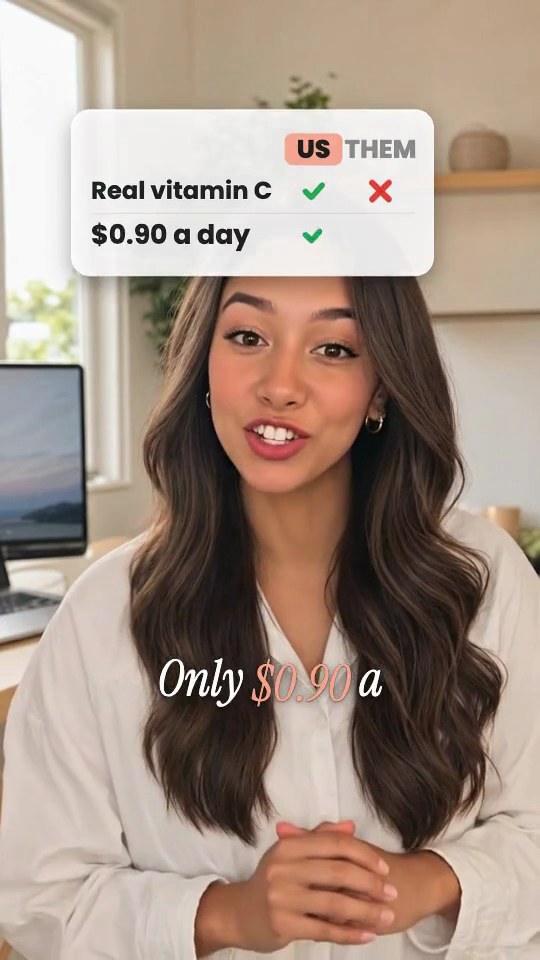
- Us vs them: a comparison with a competitor category or with “the old way”, ticks on one side. Keep comparisons honest.
- 30-day check-in: “Day 30, am I still using it?” Results over time build trust.
- Founder story: for brands that want the maker on camera, or for creators playing that role.
- Made me buy it: three reasons you bought it, the price on a tag at the end.
- Unboxing: the reveal moment, with a punch-in when the product comes out.
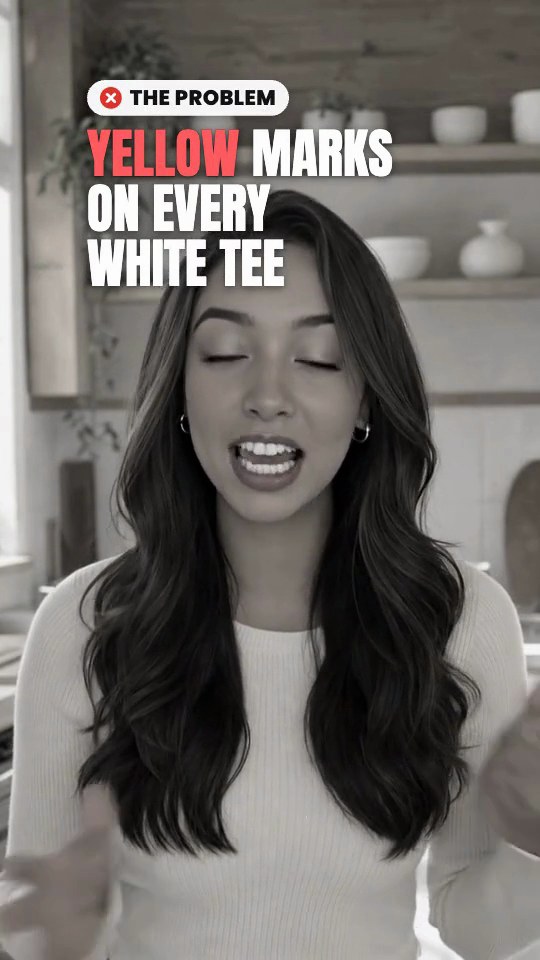 Problem → FixThe problem in grey with a red label, color snaps back on the fix
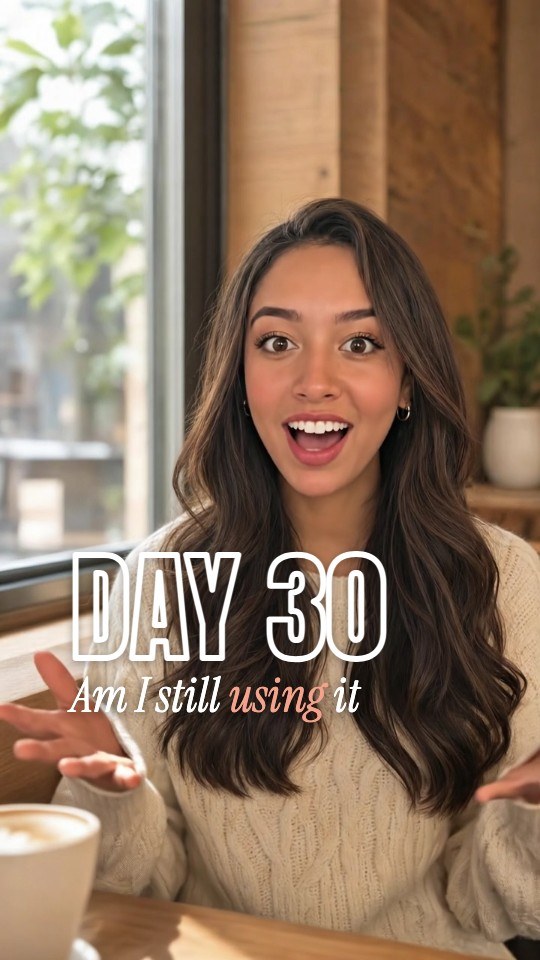 30-Day Check-inDAY N in huge type, a Day 1 → Day N bar, the verdict on a chip
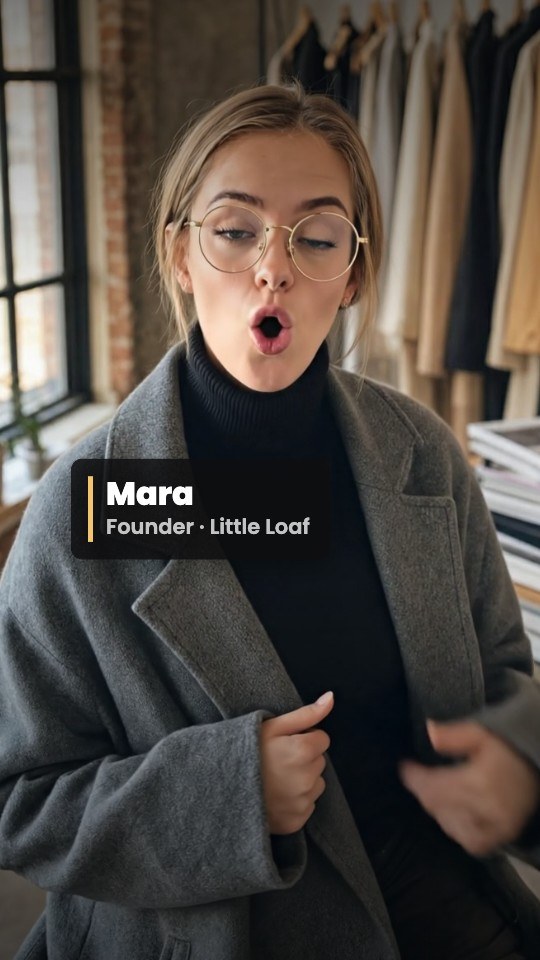 Founder StoryA serif “why I made this” hook, your name and title as a lower-third
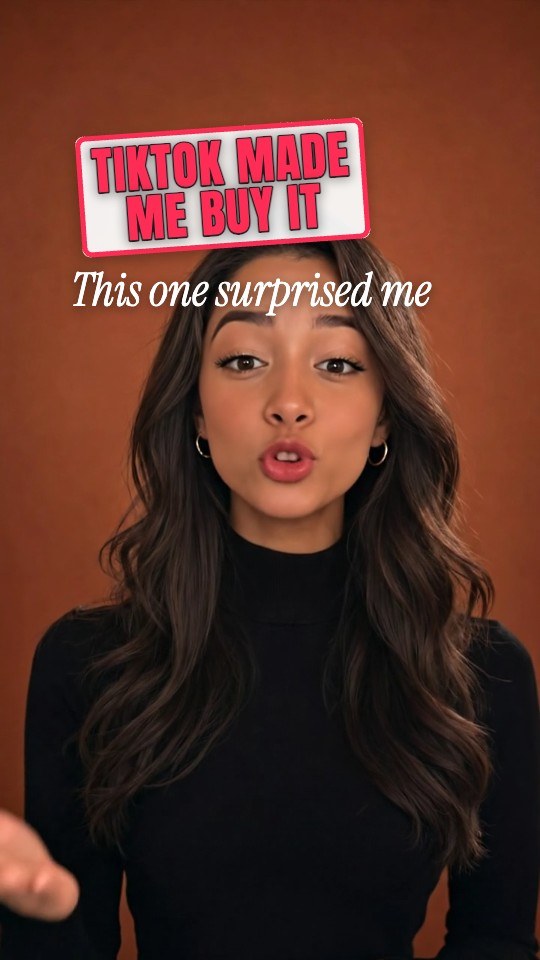 Made Me Buy ItA stamp hook, three reasons that tick in, the price on a tag
How SparkRoll edits UGC
SparkRoll is a UGC video editor built for talking videos filmed on a phone, which is what most UGC is. It edits what you film; it doesn’t make AI avatars or AI voices, so the person in the ad is always you.
- Best take of every line. Drop in several takes and the clean cut keeps the best version of each line and removes pauses, “um”s and retakes. The Cut dial goes Gentle, Standard or Tight.
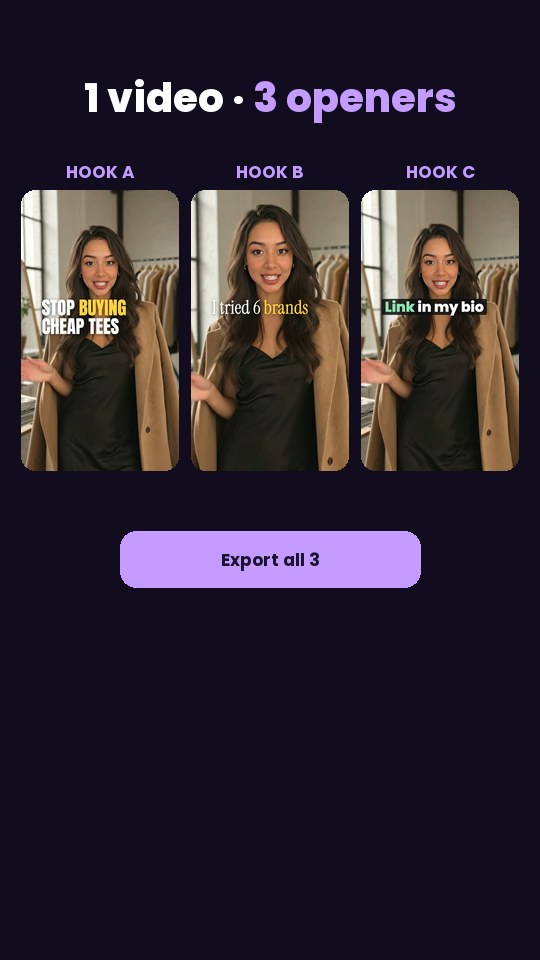
- Hook Pack. One body, three openers that look different in type, color and first shot, and it exports all three for testing.
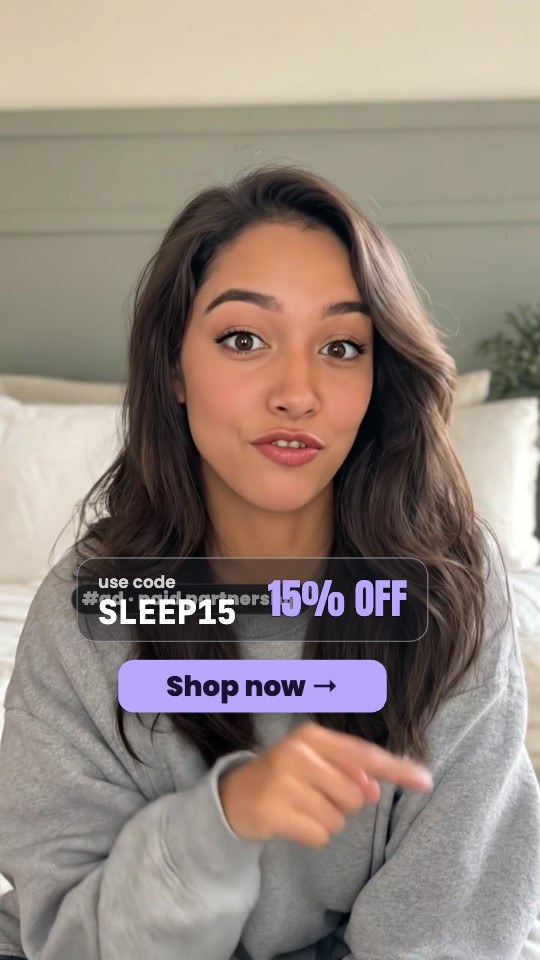
- Ad-Ready Cut. An #ad disclosure pill, a big hook, and the discount code and percentage off as you say them.
- Graphics that follow your words. Say a price and it counts up on screen; say a percentage and a ring chart draws it.
- Just say the edit. Type or say “put the code on screen when I say it”, “zoom in when I hold it up” or “make the captions smaller”. Every tool also works by hand.
- B-roll from your own photos and music and sound effects from the built-in library.
It runs in the browser and on iPhone and Android, and your projects and plan follow your account.
Edit it yourself or hire a UGC video editor?
Plenty of creators hire an editor once volume picks up. It makes sense when you shoot a lot of complex content, need motion design beyond templates, or would rather spend every hour filming and pitching. Editing yourself makes sense when turnaround matters, when briefs change late, or when edits are mostly the same steps every time: best takes, cuts, captions, a hook, a callout. That repeatable part is what SparkRoll handles, so you can deliver fast and keep the fee.
Whichever you choose, keep your raw files. Brands sometimes ask for raw footage or extra versions weeks later.
Pricing
Try it before you pay: 2 videos free to try with AI, with the clean edit and up to 30 AI chat messages each. Your first export in the iPhone or Android app is free and carries a small SparkRoll mark. After that, exporting needs a plan. Coins pay for AI messages and bigger AI jobs; editing by hand and previewing are free.
2 videos to try with AI, up to 30 AI messages each.
250 coins a week. Export your videos. Cancel any week.
1,000 coins a month. Export. Top up with coin packs.
3,000 coins a month, the stronger AI, +20% on coin packs.
Web prices in US dollars, + tax where applicable. Coin packs for plan holders: 300 coins $3.99 · 1,000 coins $9.99.
Questions, answered
Is there a free UGC video editor?
You can try SparkRoll on 2 videos free with AI, including the clean edit and up to 30 chat messages each. Your first export in the iPhone or Android app is free with a small SparkRoll mark; after that, exporting needs a plan.
Can AI edit UGC videos?
Yes. SparkRoll cuts to your best takes, removes pauses and retakes, adds captions, a hook and product callouts, and changes anything you ask for in plain words. It edits your real footage; it does not generate AI people or voices.
How do I make several hooks for one UGC ad?
Use the Hook Pack template: one body with three openers that look different, exported as three videos you or the brand can test.
Do I need to disclose UGC ads?
Paid partnerships generally need a clear disclosure, but the rules depend on the platform and your country. Check them and the brand’s brief. The Ad-Ready Cut template includes an #ad pill you can keep on screen.
What format do brands want for UGC videos?
Most ask for vertical 9:16 video for TikTok, Reels and Shorts, often in a few hook versions. Always follow the brief for length, music and captions.
Deliver the next brief faster
Drop in your takes, pick a UGC template and say what the brand asked for.