
Edit Instagram Reels by talking
Reels reward videos that look current and get to the point. Add your clip to SparkRoll, pick a trending look, and say the rest: it cuts the pauses, adds captions and music, and exports a vertical Reel.
2 videos free to try with AI · Works in your browser · Also on Android

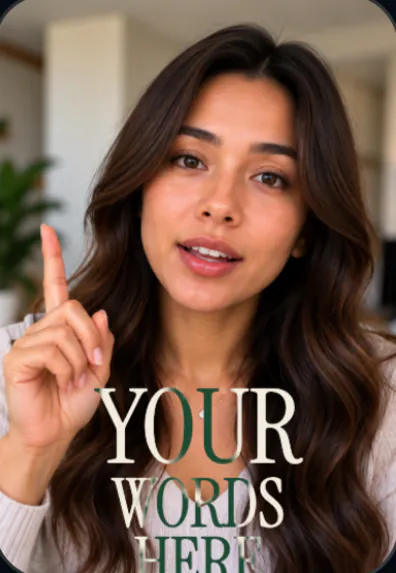
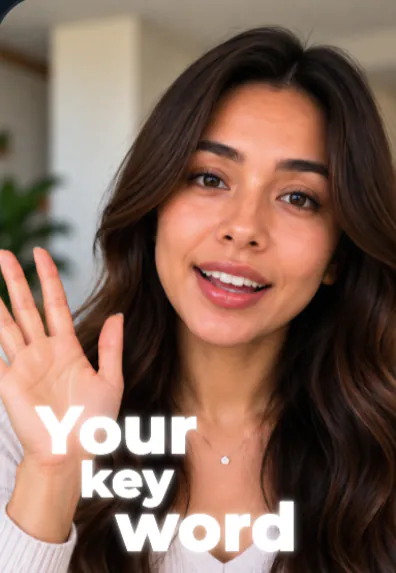
Looks made for Reels
Every template sets the captions, hook, music and effects together, so one tap gives the whole look:
- Scrapbook: you cut out on paper, a cut-out letter title, notes and chapter cards.
- Showcase: a serif headline behind you and a graphic for each line.
- Editorial Walk: lavender serif titles behind you, italic captions and glass pills.
- Swipe Slides: your video as a carousel, slides swipe sideways with page dots.
- Magazine: a masthead behind you with a gold line under the big words.
See every look in the template gallery.
Say what the Reel needs
- Cut the pauses
- Use Scrapbook
- Add captions, three words at a time
- Put the title behind me
- Add music under my voice
Then tap anything to fine-tune it by hand: move, resize, rotate, edit or remove. Hand editing is free.
How to make a Reel with SparkRoll
- Add your clip. MP4 or MOV, up to 10 minutes. Drop in several clips and they become one video.
- Pick a template (or keep Clean up), and add a signature effect if you want one.
- Say or type the edit. Hold to talk, or type it, in any language: “cut the pauses, add captions, make the hook bigger”.
- Fine-tune by hand if you like: tap any caption or sticker to move, resize, rotate, edit or remove it.
- Export a vertical 9:16 video for TikTok, Instagram Reels or YouTube Shorts.
The same vertical export works for TikTok and YouTube Shorts, so one edit can go everywhere.
Pricing
Try it before you pay: you get 2 videos free to try with AI, with 30 AI messages each. Exporting a finished video needs a plan. Coins pay for AI messages; editing by hand is free.
2 videos to try with AI, 30 AI messages each.
200 coins a week. Export your videos. Cancel any week.
1,000 coins a month. Export. Top up with coin packs.
4,000 coins a month, the stronger AI, +20% on coin packs.
Prices in US dollars, + tax where applicable. Coin packs for plan holders: 300 coins $3.99 · 1,000 coins $9.99.
Questions, answered
Can I edit Instagram Reels with SparkRoll?
Yes. SparkRoll edits vertical talking videos and exports 9:16 files ready for Instagram Reels.
Does it add music?
Yes. Templates come with music, or ask for music under your voice.
Can I change a template after picking it?
Yes. Ask for a different template or tweak any caption, sticker or effect by hand.
Do I need the Instagram app to edit?
No. You edit in SparkRoll in your browser or the Android app, export, then post to Instagram.
More ways to use SparkRoll
- AI video editorChat-based editing for talking videos
- Free AI video editor2 videos free to try with AI
- Edit video by talkingA chat video editor: say the edit
- Auto captionsCaptions on every word, automatically
- Remove pauses & jump cutsAuto-cut pauses, ums and retakes
- Video templatesAll 55 templates and the effects
- TikTok video editorVertical edits with a hook up front
- YouTube Shorts editorCaptions and cuts for Shorts
- Talking head video editorFor face-to-camera videos
- TikTok Shop & UGC editorProduct videos, price stickers, demos
- CapCut alternativeChat editing vs a timeline
Ready to edit by talking?
Upload a clip, say what you want, and get a finished edit. 2 videos free to try.