
Caption styles that fit what you say
A caption style is more than a font. Here is what goes into one, which looks suit which kind of video, and how to choose from SparkRoll's 90 looks without spending an afternoon on it.
2 videos free to try with AI · Works in your browser · Also on iPhone and Android
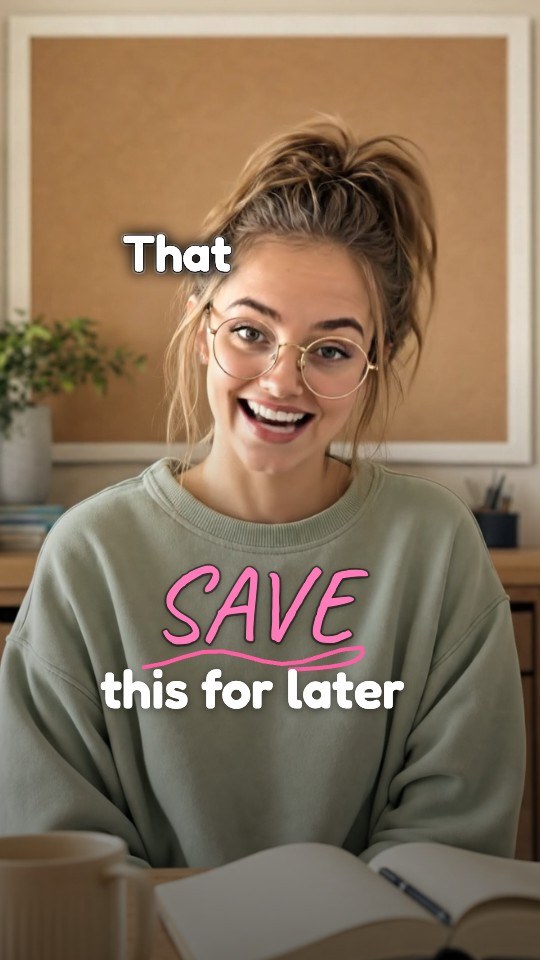
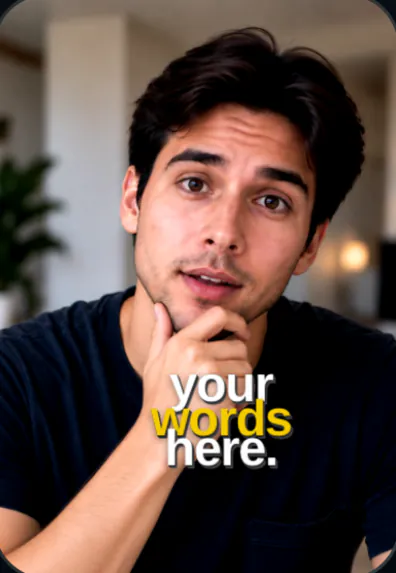
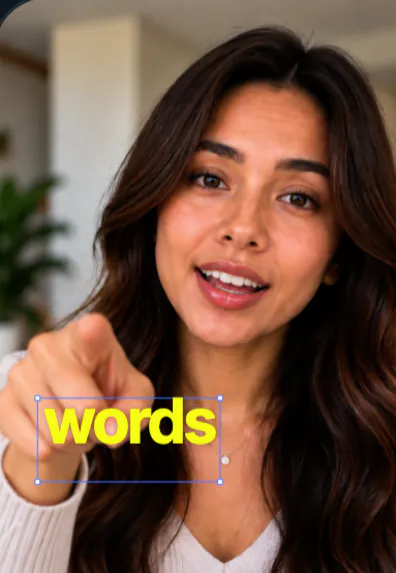
What makes up a caption style
Every caption style is a set of choices. Change one and the feel of the whole video changes:
- Typeface and weight. Heavy sans serif reads loud and direct. A serif feels editorial. Handwriting feels personal.
- Case. ALL CAPS shouts and suits short phrases. Sentence case is calmer and easier to read in longer lines.
- Size and words per line. One huge word at a time is dramatic; a full short sentence is informative.
- Emphasis. How the key word stands out: a color, a bigger size, a label behind it, a glow.
- Contrast treatment. Outline, shadow, box or nothing. Decides whether text survives a bright background.
- Position. Center, upper third, around the head, behind the body.
- Motion. How words arrive and leave. See animated captions.
Popular looks, and what they say
| Style | Looks like | Works for |
|---|---|---|
| Bold caps, one color key word | Heavy white capitals, the key word yellow or green | Deals, hot takes, fast product pitches |
| Clean sentence case | Medium weight, white with a soft shadow | Tutorials, coaching, explainers |
| Serif with italics | A cream serif, the key word in italic | Beauty, lifestyle, personal stories |
| Word stack | Words of different sizes stacked into a block | Quotable lines, motivation, hooks |
| Label or box | Words on colored labels or boxes | Lists, comparisons, TikTok Shop |
| Handwritten | Marker or notebook writing, a highlighter | Study tips, planning, how-tos |
| Behind you | A huge word behind the speaker's body | Titles, chapter breaks, one big idea |
How to choose a caption style
- Start from your niche. Look at five videos that perform well in your space and note what they share: case, color, size. You do not need to copy them, but viewers in a niche get used to a certain feel.
- Match your energy. A calm voice under shouting capitals feels wrong. A high-energy pitch in thin serif type feels flat.
- Test it on your own footage. A style that looks great on a plain wall can disappear over a busy kitchen. Check contrast on your real background.
- Pick one key-word color and stick with it. Using the same accent across videos makes your posts recognizable in a feed.
- Keep it consistent across a series. If you post part 1, part 2, part 3, use the same style so people know they are watching the same thing.
Size and safe areas
Whatever the style, size it for the smallest screen it will play on. Text that looks bold on a laptop preview can be tiny on a phone held at arm's length. The top strip of the screen and the bottom quarter are crowded by the app's own labels and buttons on TikTok and Reels, so the most readable zone is the upper-middle and middle of the frame, around (not across) your face. A big style with three words per line usually reads better than a small style with a full sentence.
A few of SparkRoll's looks
SparkRoll has 90 caption styles, and each template pairs one with a hook, music and effects. A few of the looks:
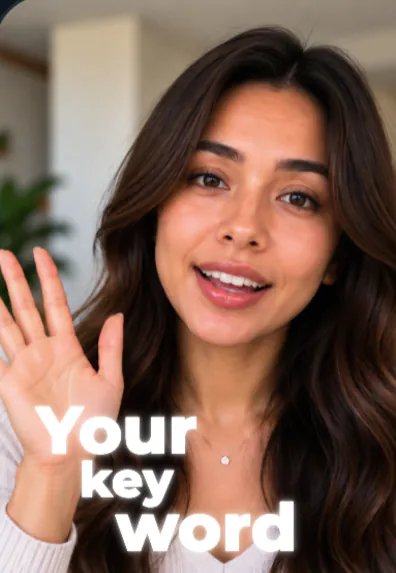 Glow WalkGlowing words behind you as you walk
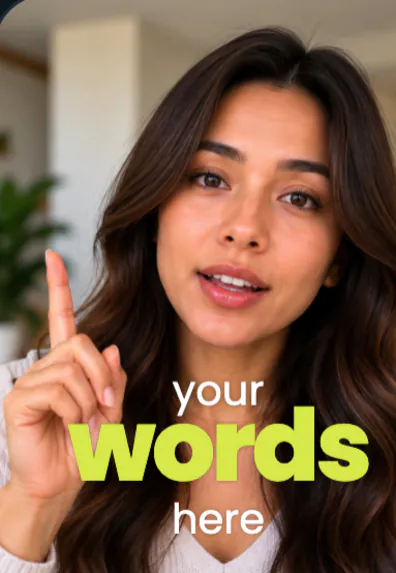 Word Stack WalkA word stack around your head, one huge word
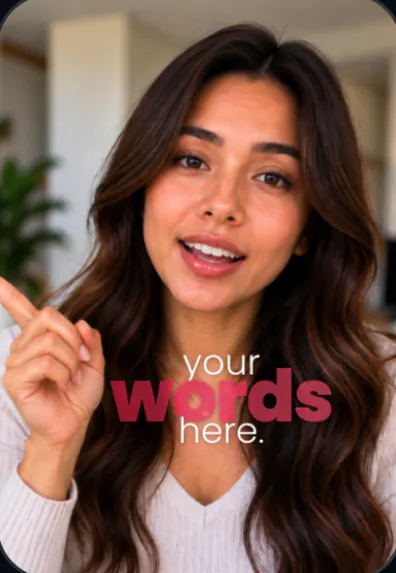 Fly-InBig stacked words around you
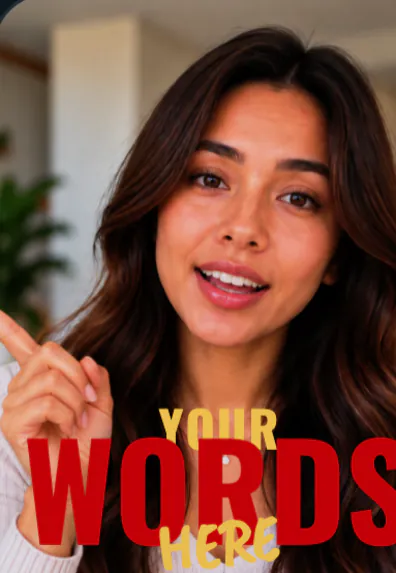 Cinematic TitleHuge words behind you, serif captions that slam in
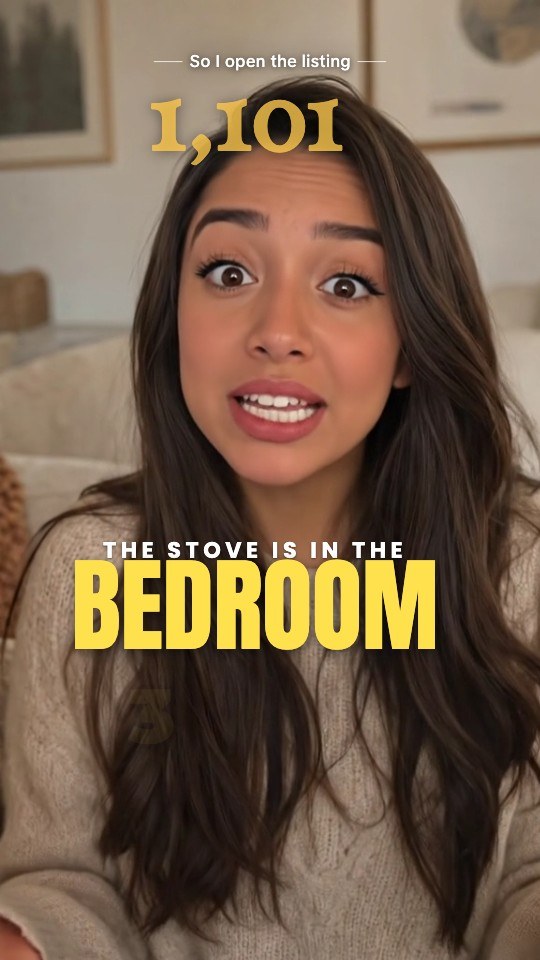 ImpactHeavy caps, yellow key words
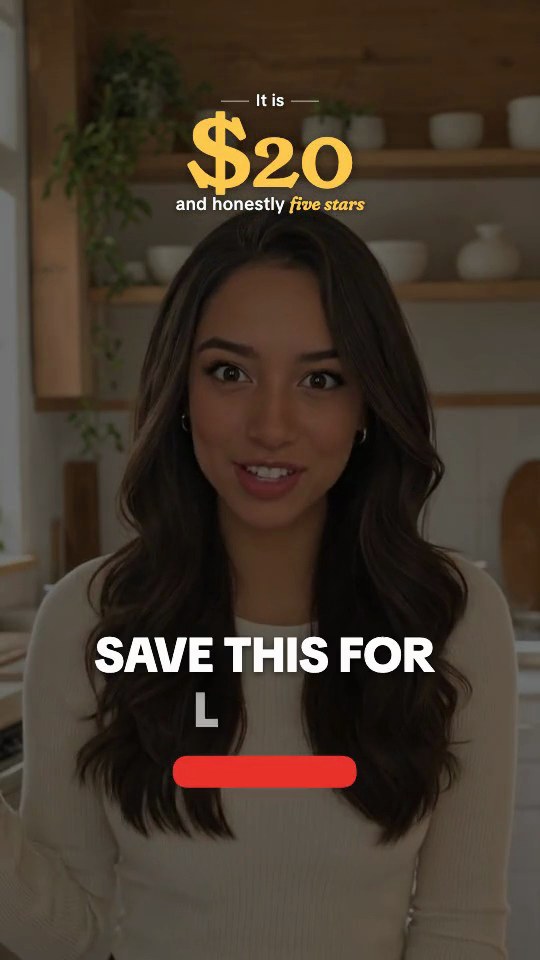 Red LabelKey words in red labels
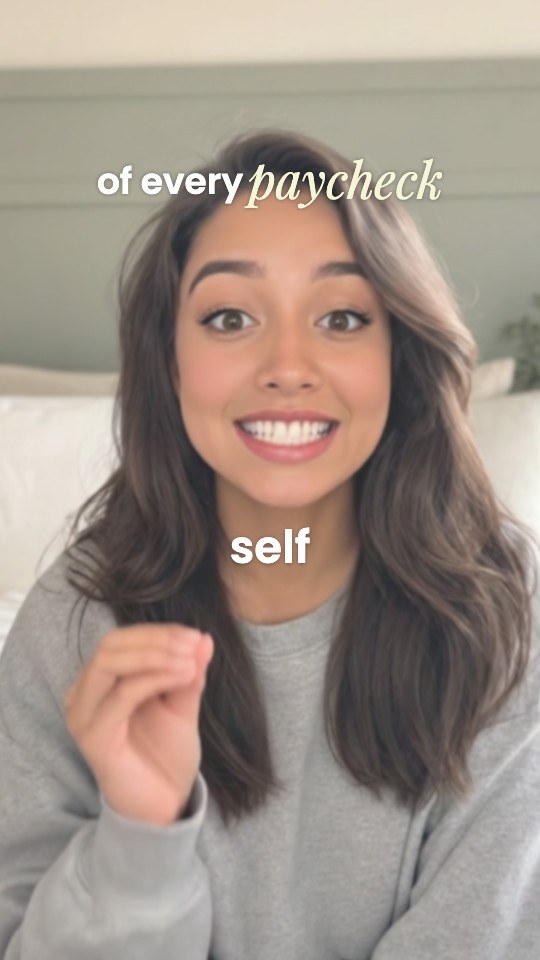 Soft Serif KeysSmall captions, key words in cream serif
- NotebookHandwritten notes, a lavender highlighter
Every one of them places text around you, never over your face, and picks out key words from what you say. Switch styles by asking ("use the Notebook template") or from the picker, and tune it in plain words: "smaller", "key words in green", "lower on the screen".
Presets in other editors
CapCut, Premiere Pro, Canva and most mobile editors ship their own caption presets, and many creators build a favorite style once and save it. That works well if you already edit on a timeline. SparkRoll is for people who would rather describe the look than build it: you pick a style or name the change, and the captions, timing and placement follow from your speech. If you are comparing, see the CapCut alternative page for an honest side-by-side.
Pricing
Try it before you pay: you get 2 videos free to try with AI, with up to 30 AI chat messages each, and your first export in the iPhone or Android app is free with a small SparkRoll mark. After that, exporting needs a plan. Coins pay for AI messages; editing by hand is free.
2 videos to try with AI, 30 AI messages each. First export free in the iPhone and Android apps, with a small mark.
250 coins a week. Export your videos. Cancel any week.
1,000 coins a month. Export. Top up with coin packs.
3,000 coins a month, the stronger AI, +20% on coin packs.
Prices in US dollars, + tax where applicable. Coin packs for plan holders: 300 coins $3.99 · 1,000 coins $9.99.
Questions, answered
What caption style is best for Instagram Reels?
There is no single best one. Bold sans serif with one highlighted key word is the most common on Reels and TikTok, but beauty and lifestyle accounts often do well with serif and italic styles. Match the style to your niche and your energy.
Which caption styles are popular on TikTok?
Word-by-word captions in heavy capitals with a yellow or green key word, word stacks, and words placed behind the speaker are all widely used. Clean sentence case remains common for tutorials.
Should I use the same caption style in every video?
For a series or a brand account, yes: a consistent style and key-word color makes your videos recognizable in the feed. You can still change it for special posts.
How many caption styles does SparkRoll have?
90, used across 160 templates. You can switch between them at any time without redoing your edit.
Can I use SparkRoll's looks in CapCut or Premiere Pro?
No. They work only inside SparkRoll. Those editors have their own caption presets.
Related
- Animated captionsWord-by-word motion that stays readable
- Add captions to videoCaptions timed to every word
- Auto captionsCaptions on every word, automatically
- Video templatesTemplates that set the whole look
- AI caption generatorOn-video captions and the post caption
- Instagram Reels editorTrending looks for Reels
- TikTok video editorVertical edits with a hook up front
- CapCut alternativeChat editing vs a timeline
Try a caption style on your own video
Upload a clip, pick a look, and switch until it fits. 2 videos free to try.